RevUp
Saving days of time & thousands of dollars by converting a spreadsheet to an automated product.
Web app
Background
The revenue services team (RST) at the Wilson Elser law firm was manually managing 9,000 bills per month across their clients. We designed and developed a product that would automate almost the entire process.
Role
Lead Product Design, Art Direction, Design System Creation, Workshop Facilitation
Client
Wilson Elser
Year
2023-2024
Team
Shannon Hosmer, Creative Director
and more at Mindgrub
Multiple spreadsheets were used to document the billing rates and requirements for each client and as many as 16 attorneys representing them. The RST was made aware of changes via email nearly daily. Rates and requirements would change, new clients would need to be added to the sheets and old clients and attorneys removed from the sheets. Human error was inevitable.
My task was to save time in the RST's overly-involved day to day workflows and save money by reducing human error. I determined 2 key solutions that leveraged automation to meet those primary goals and designed the product end-to-end.
Solution 1: Alerts
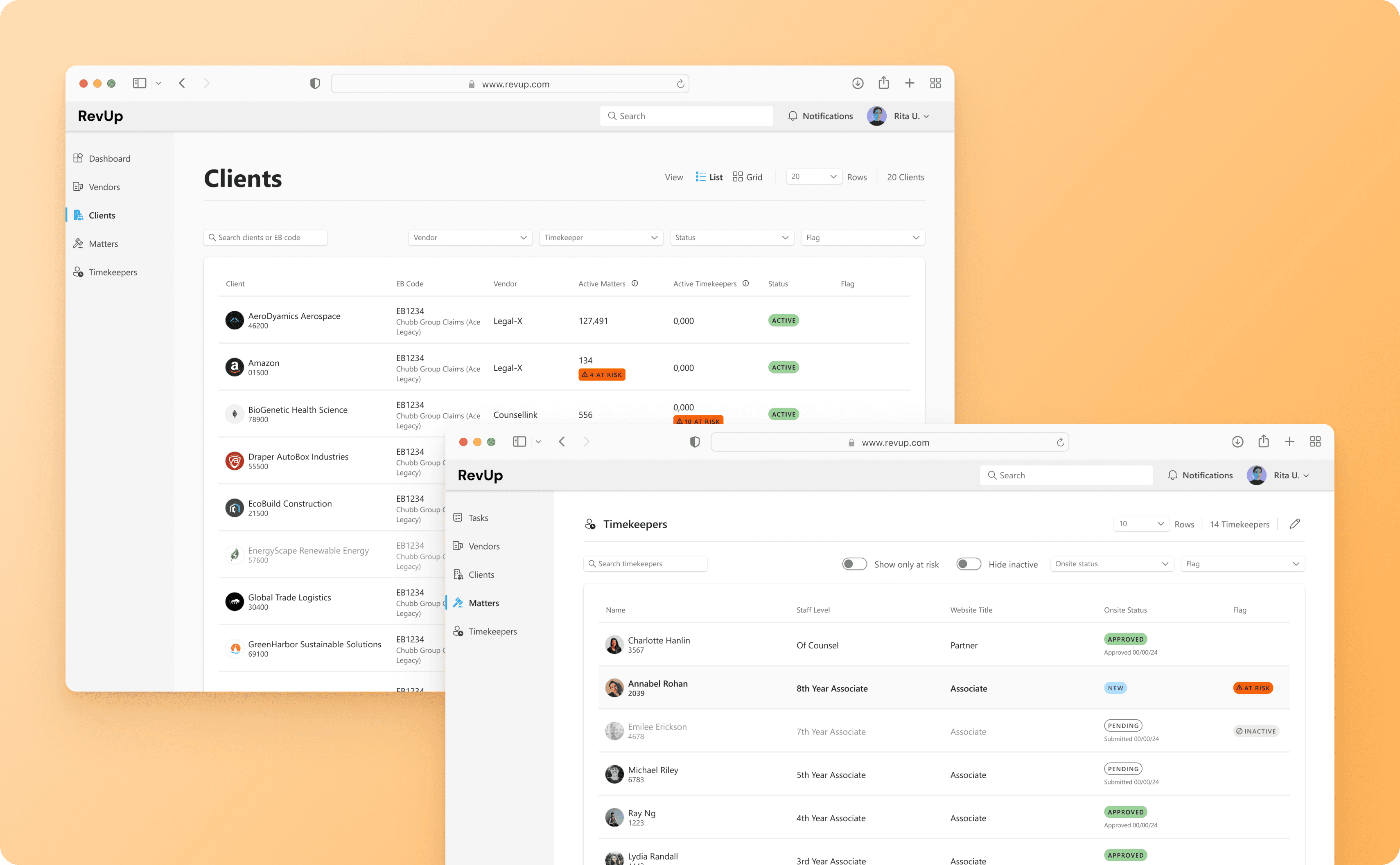
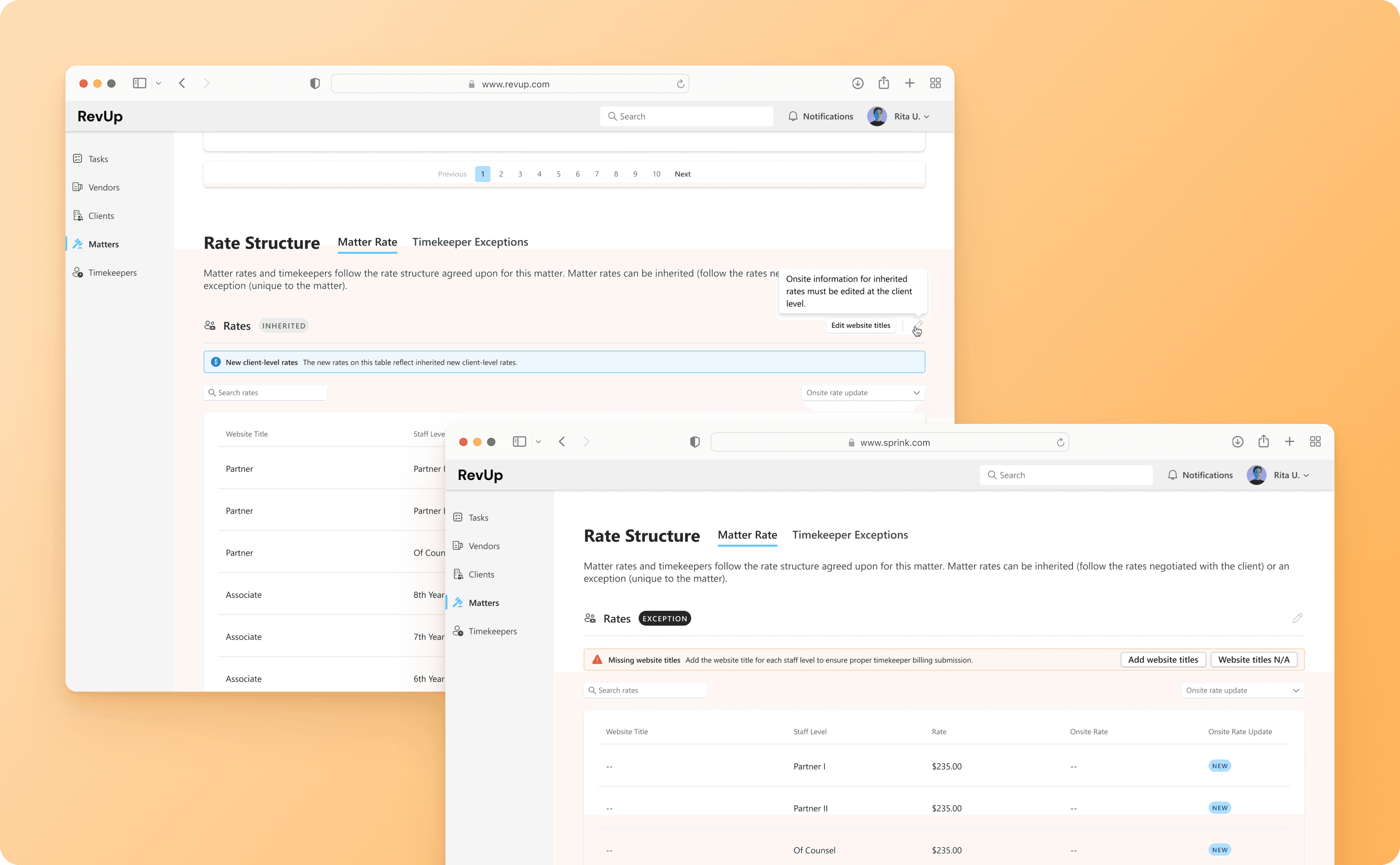
Changes to rates, timekeepers, and matters (cases) would be pulled from a database and flagged in the UI to notify users of new information, inconsistencies, & errors. Alerts would surface as banner and pill flags ranging in severity throughout the system that the user could take action on. The user had a single-pane view of alerts from the highest level that would allow them to drill down to where action was required.
Expected Impact
Save time by presenting automatically synced changes to the user to make real-time updates, instead of manual notification through email chains
Reduce human error by flagging discrepancies
Save thousands of dollars by reducing the amount of errors that make it through to bill submission
Solution 2: Tasks
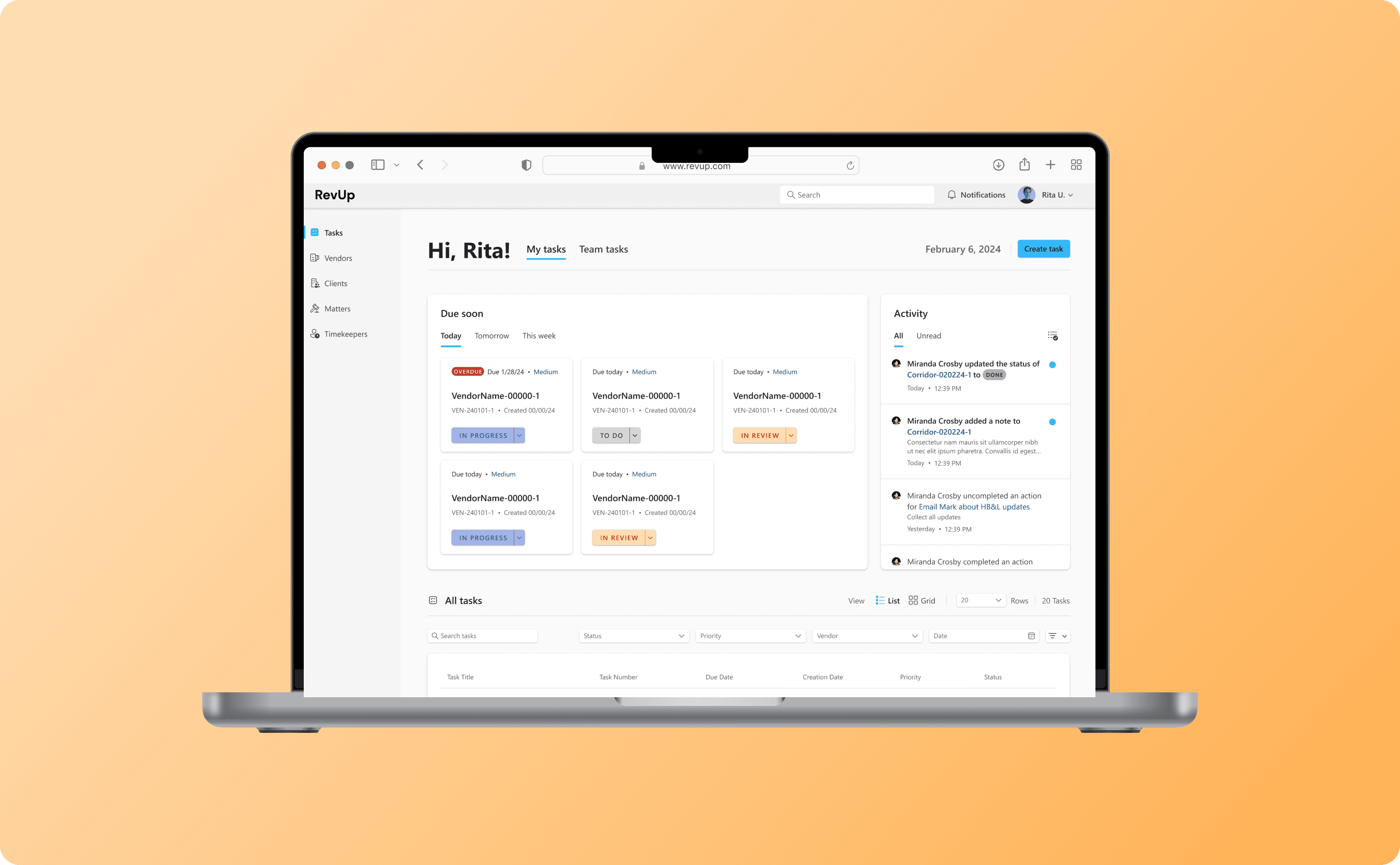
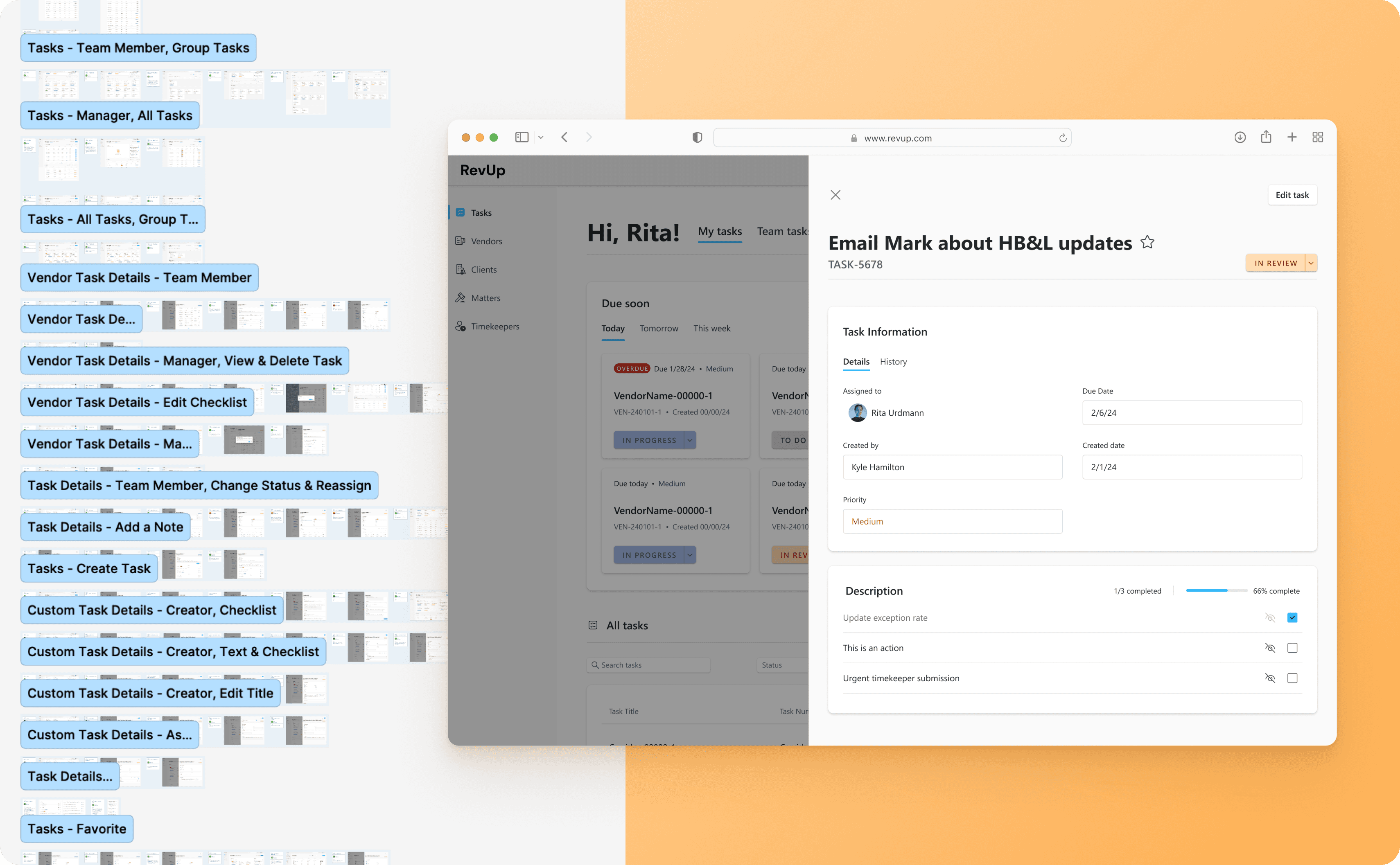
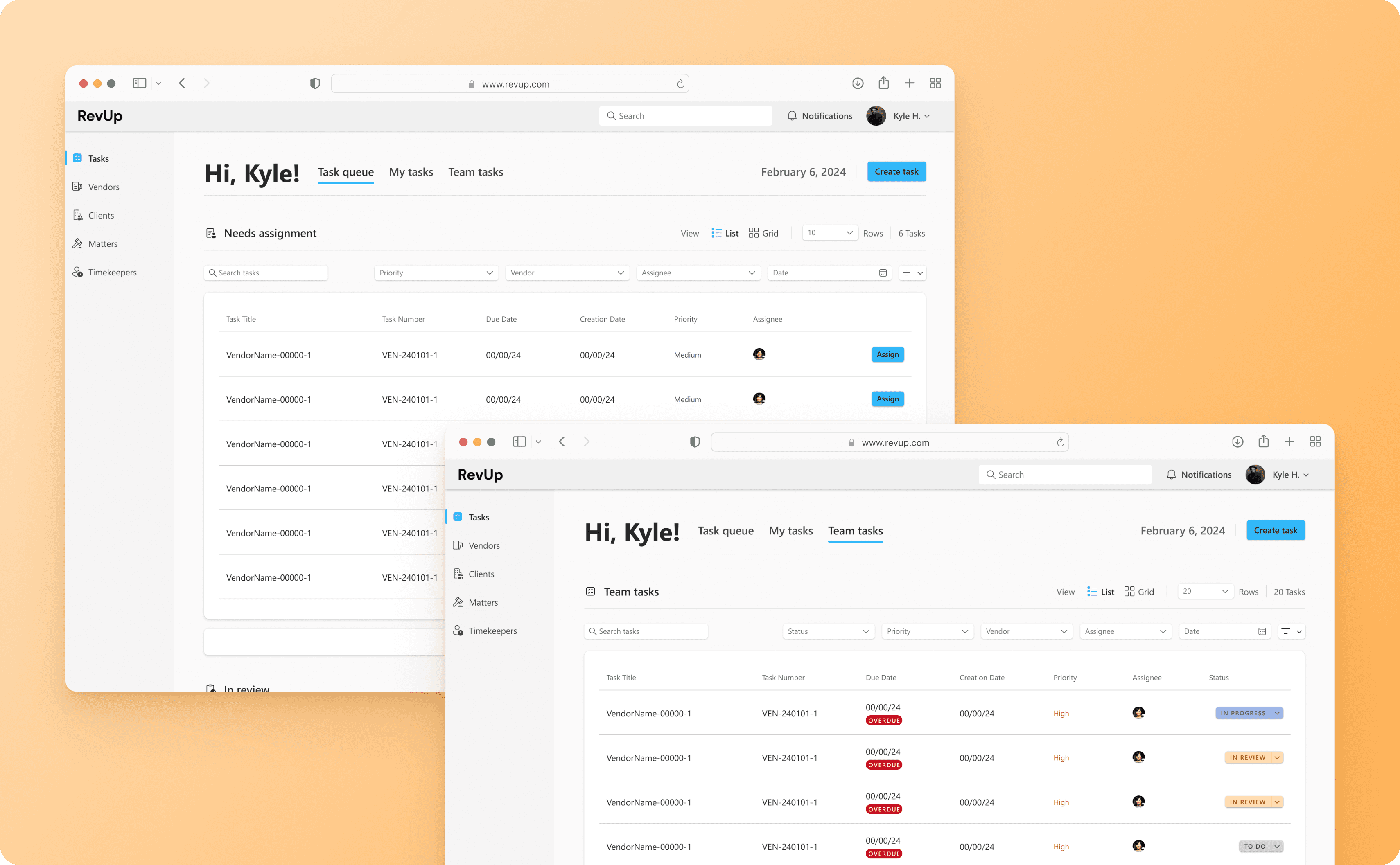
Actions would automatically be created for each flag and lumped into tasks. Team members could complete these actions or create a task for themselves. Managers could delegate tasks out to their team then view the Team task board to track work. Updates made as a result of the task work would cascade throughout the system so that they were updated one time in a single place, instead of across different spreadsheets.
Expected Impact
Save time by streamlining the RST's workflow, creating transparency over work to be done, and implementing task deadlines
Save thousands of dollars from lost payment due to late bill submissions by implementing task deadlines
Next Steps
Our next steps would be to measure the amount of money lost over 3 months prior to and post MVP launch. My hypothesis of the expected impact is a reduction in money lost to billing errors due to the implementation of RevUp in the RST's workflow.
Discovery
I was responsible for designing both the art direction and product from 0 to 1.
UX Challenge
Learn the ins and outs of an intensely nuanced documentation process with exceptions to nearly every rule.
UX Process
Watched client-provided training videos typically used to train new RST members to understand workflow, acronyms & jargon, and determine product requirements.
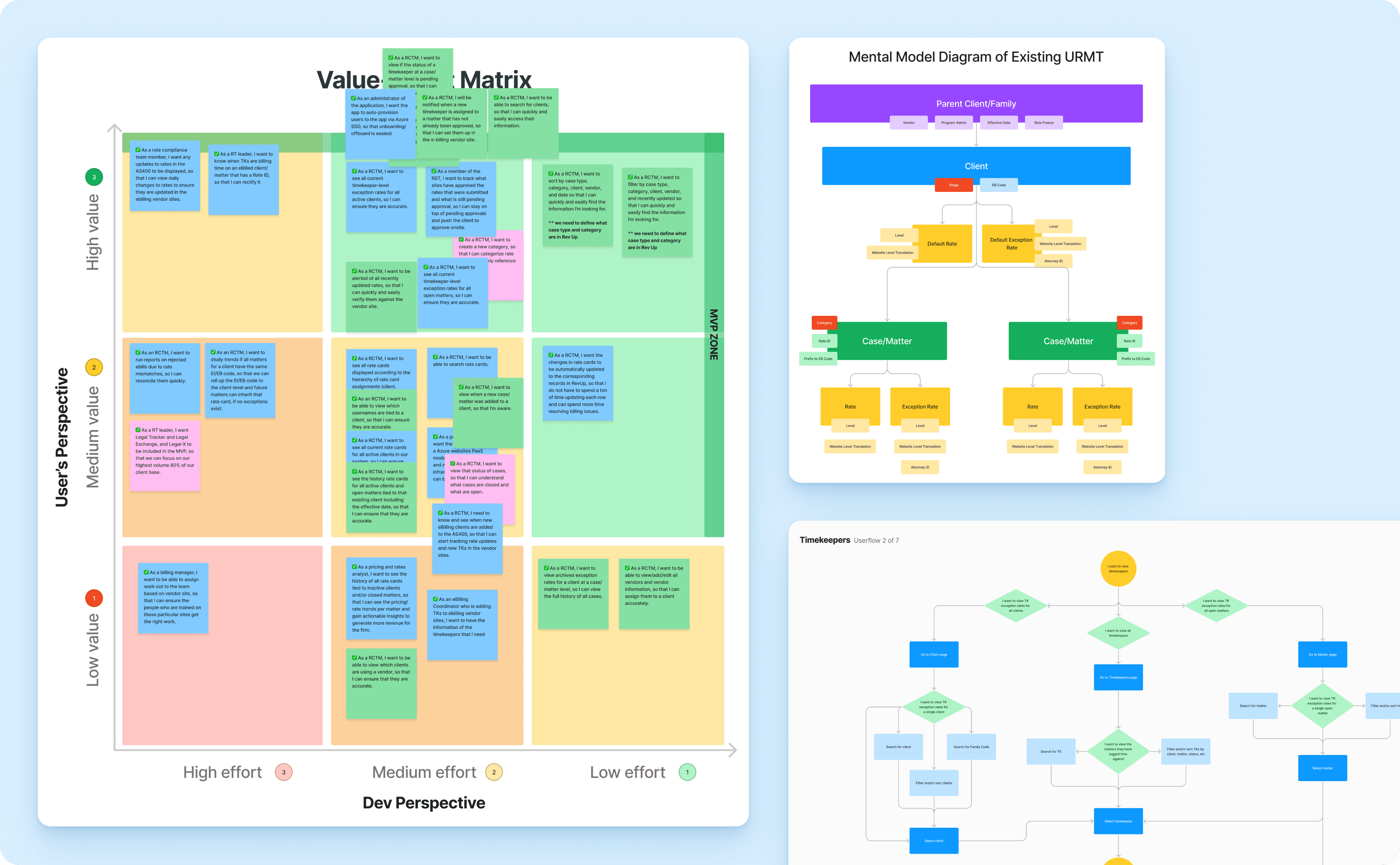
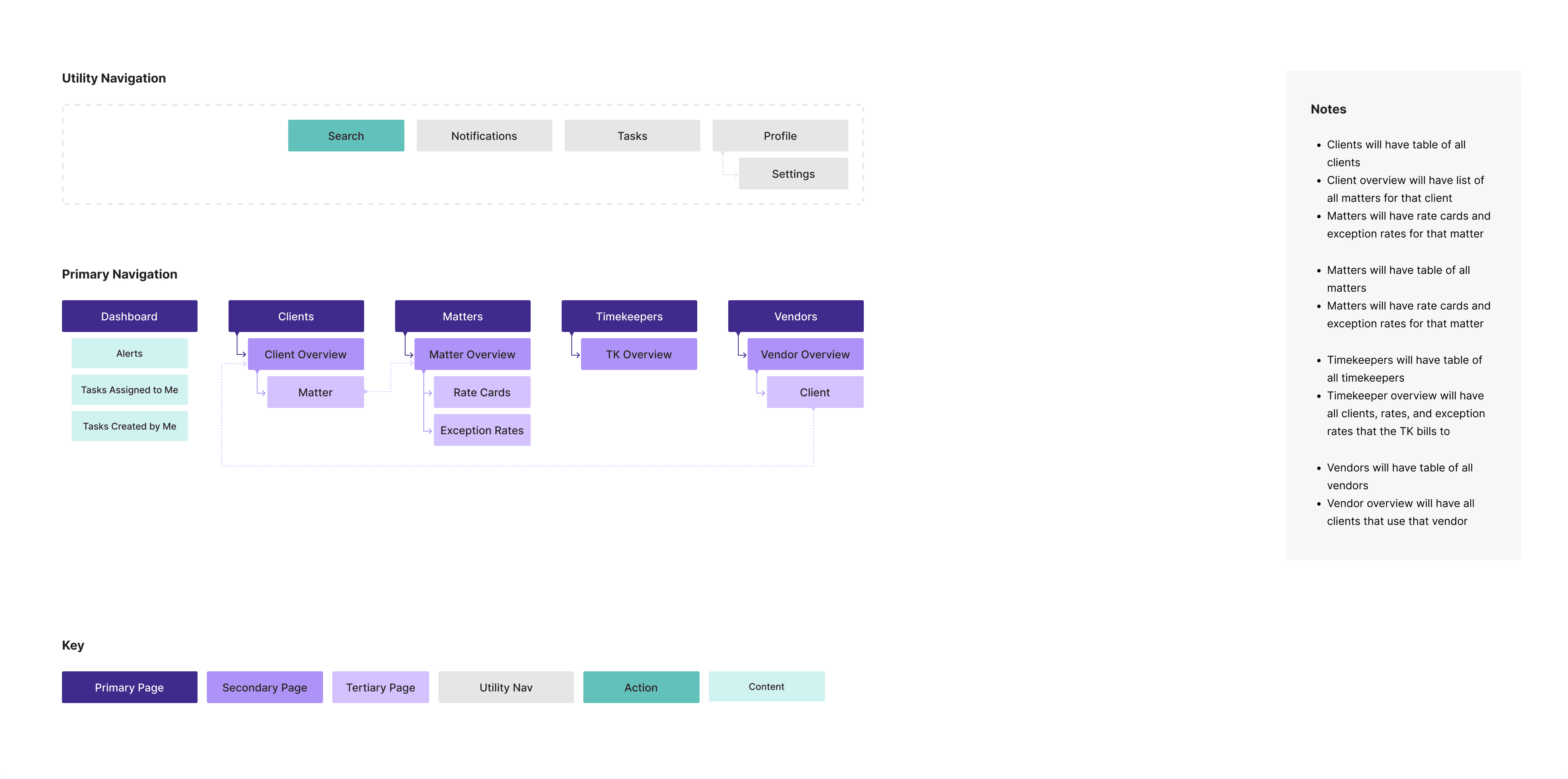
Created a mental model of the new system, a site map, and high-level user flows based on these learnings.
Facilitated a workshop to prioritize user stories on a value-effort matrix.
Design Process
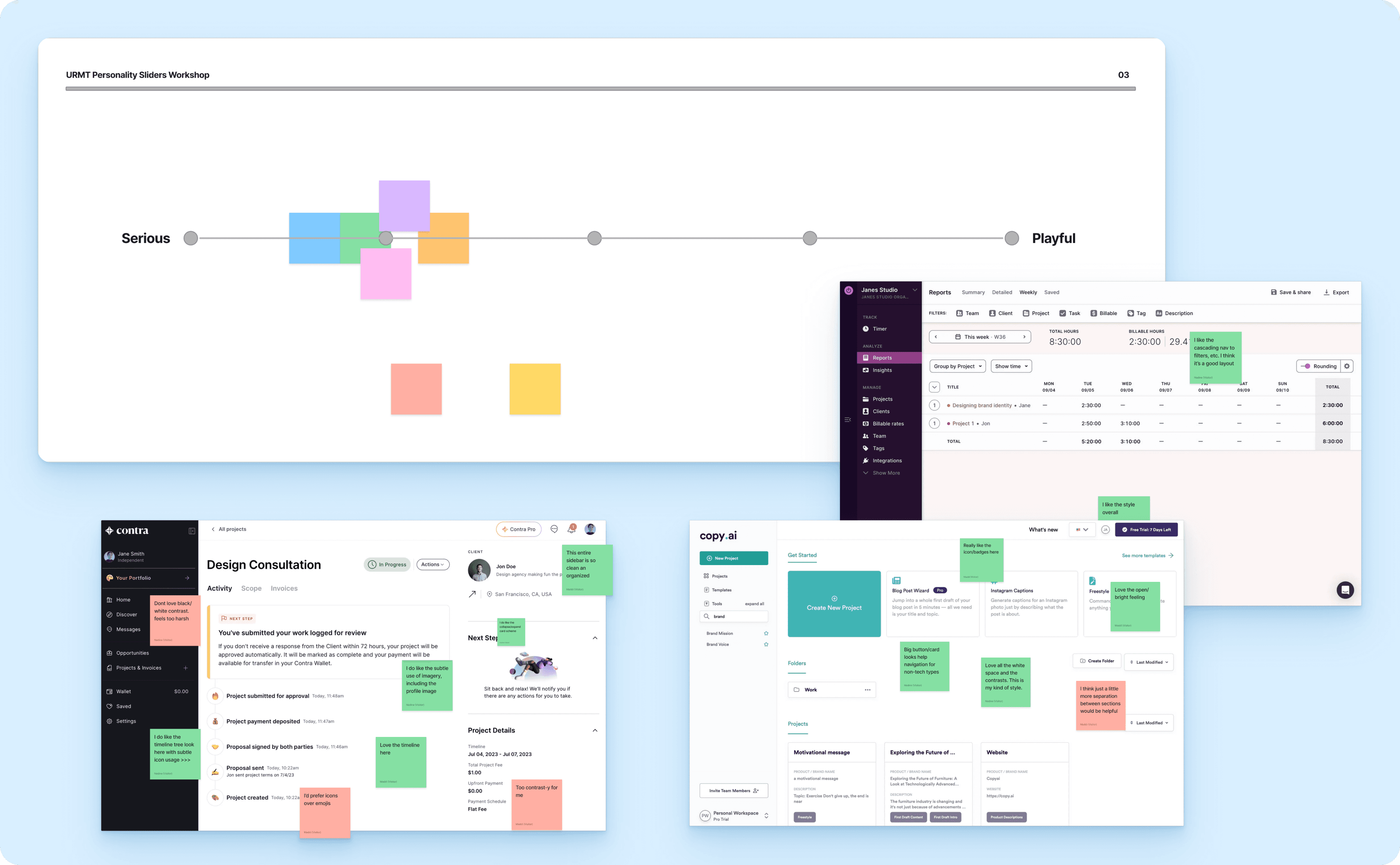
Facilitated personality slider and 20:20 workshops to determine the visual direction the client envisioned for the product
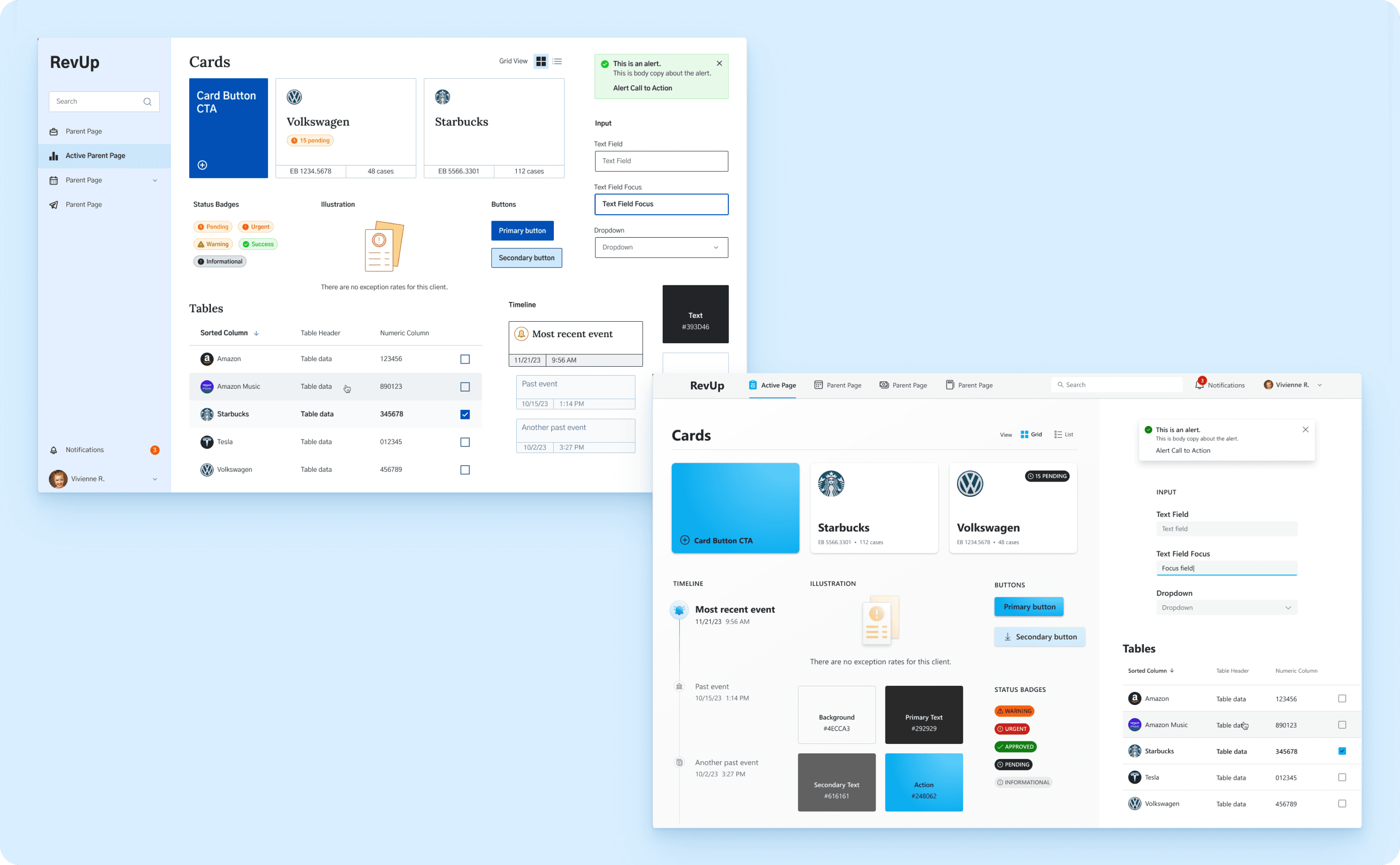
Created 2 style tile directions using the feedback collected from the workshops
Design Solution
The direction selected utilized the FluentUI library both based on visual preferences by the client and because users were already familiar with Microsoft products. I customized the library using Figma variables cutting weeks out of the design process. Leveraging the FluentUI components allowed me to move straight into product design without standard wireframing.